
How to Implement an Auto Check-out Feature for Attendance in Zoho People
Here is our approach for implementing an auto check-out feature for attendance in Zoho People[cite: 13].
Even a non-technical person can easily set it up in just a few steps.

Approach
We can Implement an Auto Check-out Feature in Zoho People using the following steps.
1. Create Connection
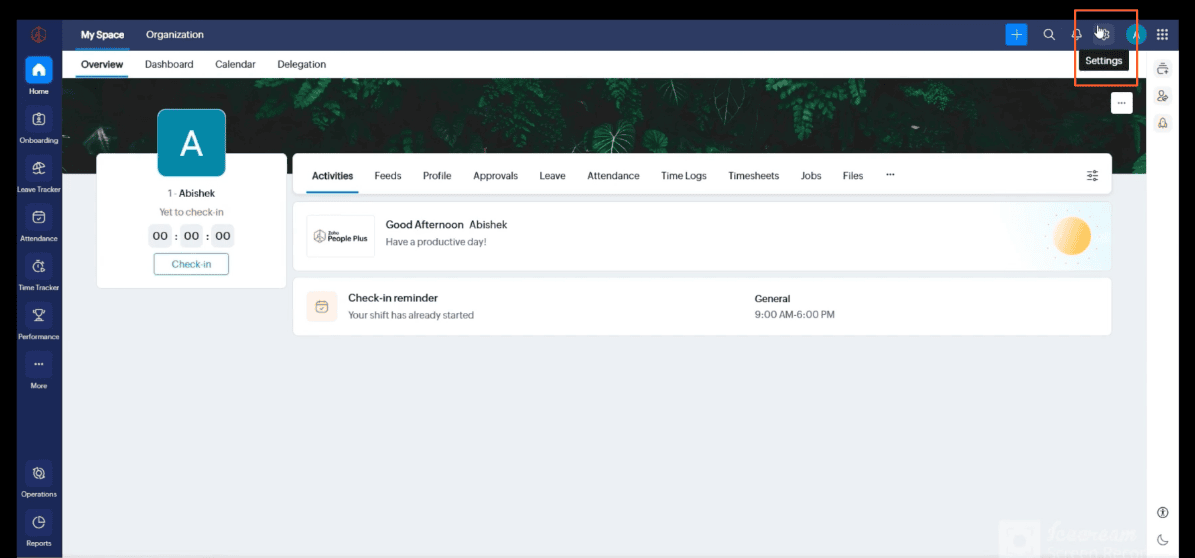
1.1 Go to Settings
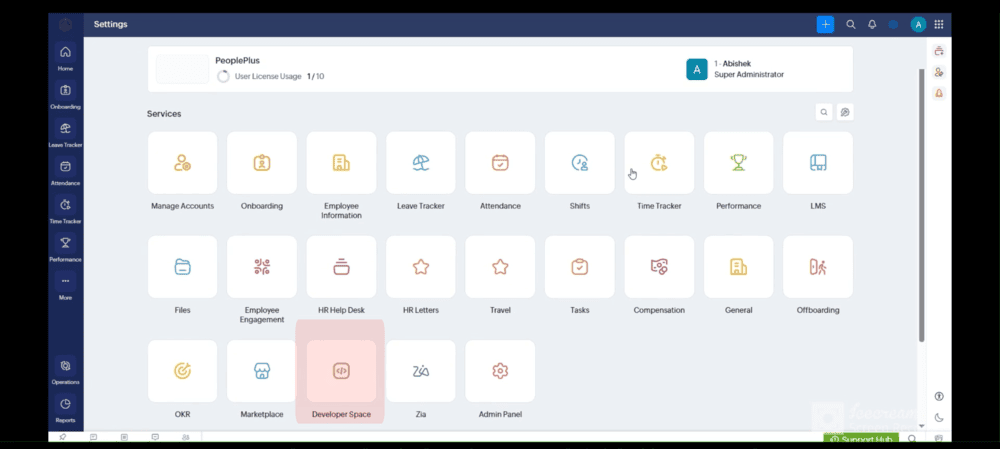
1.2 Click Developer Space Under Settings
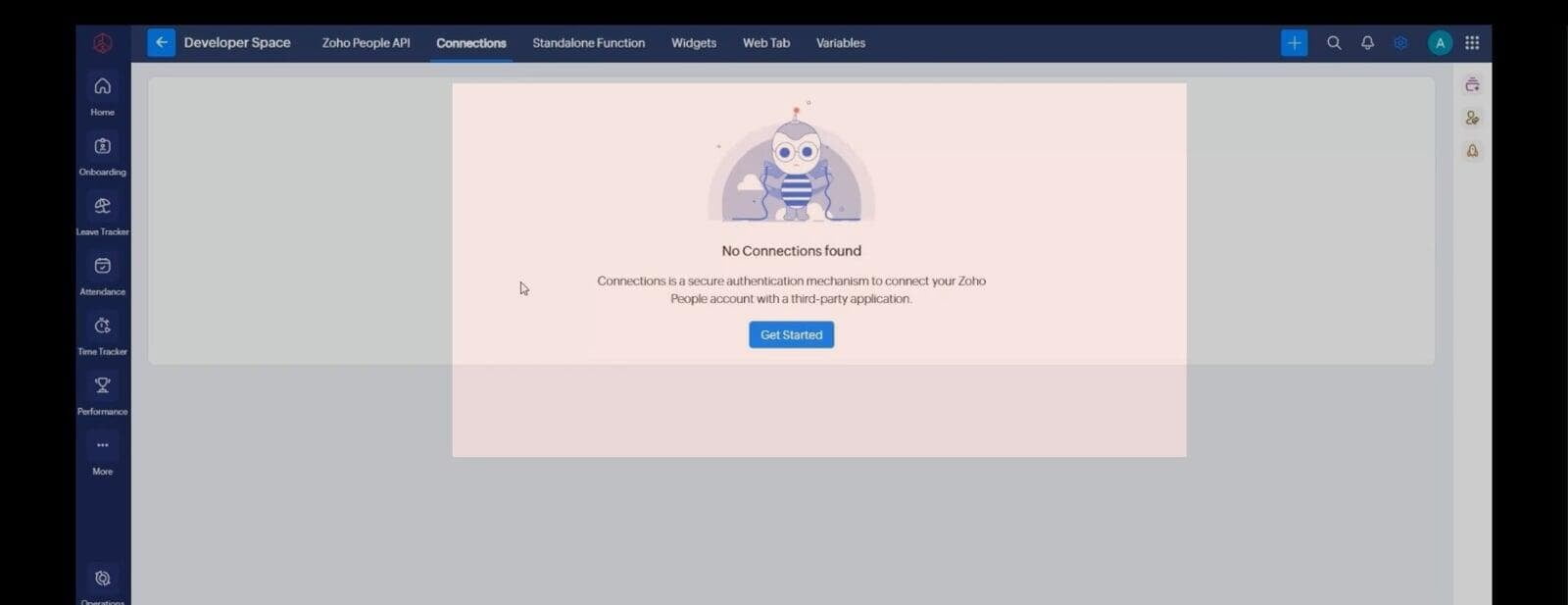
1.3 Select Connector
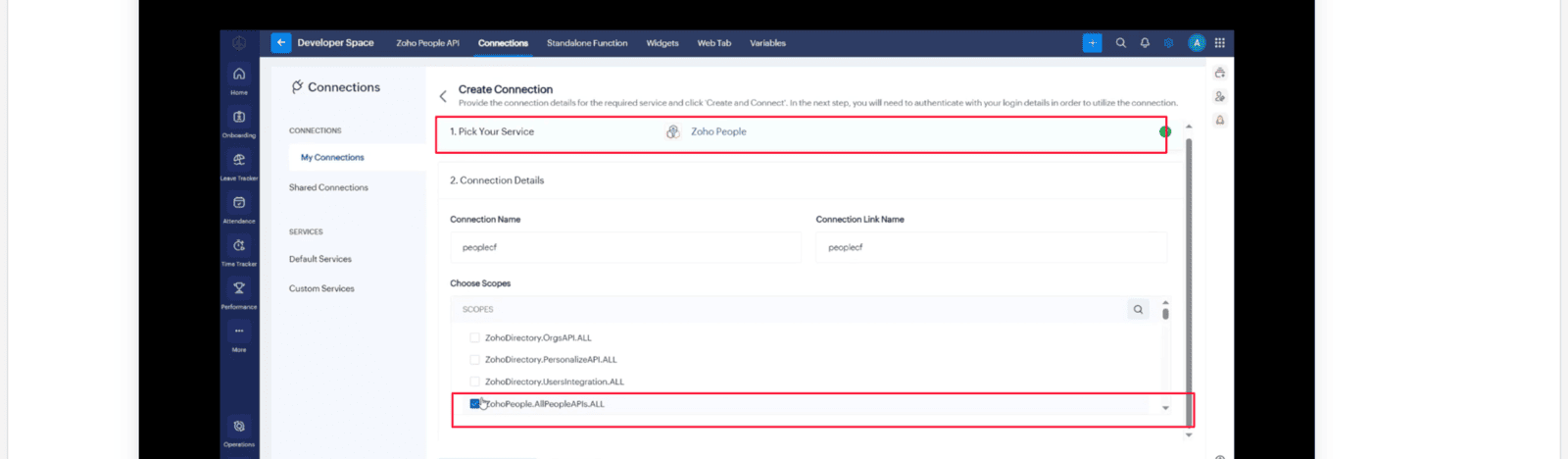
1.4 Define a Service And Define Scope
2. Create A Custom Function
2.1 Navigate to Settings Then under Automation Click Add Custom Function
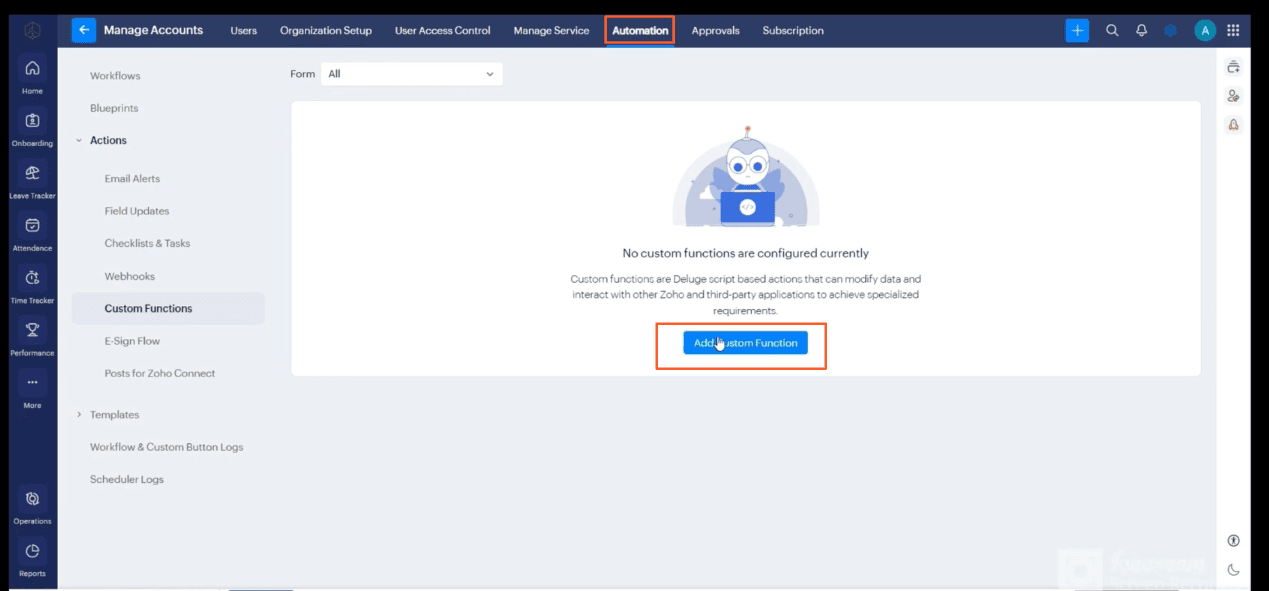
3. Fill in Function Details
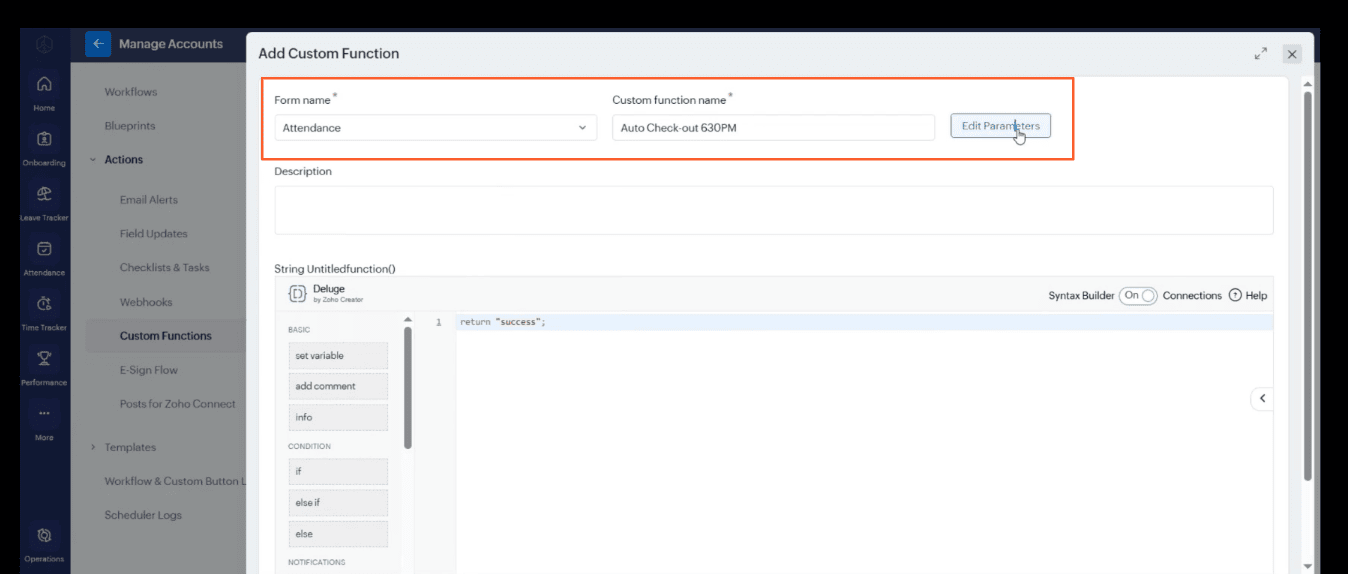
3.1 Add the required parameters recordId, erecno, and empid as strings
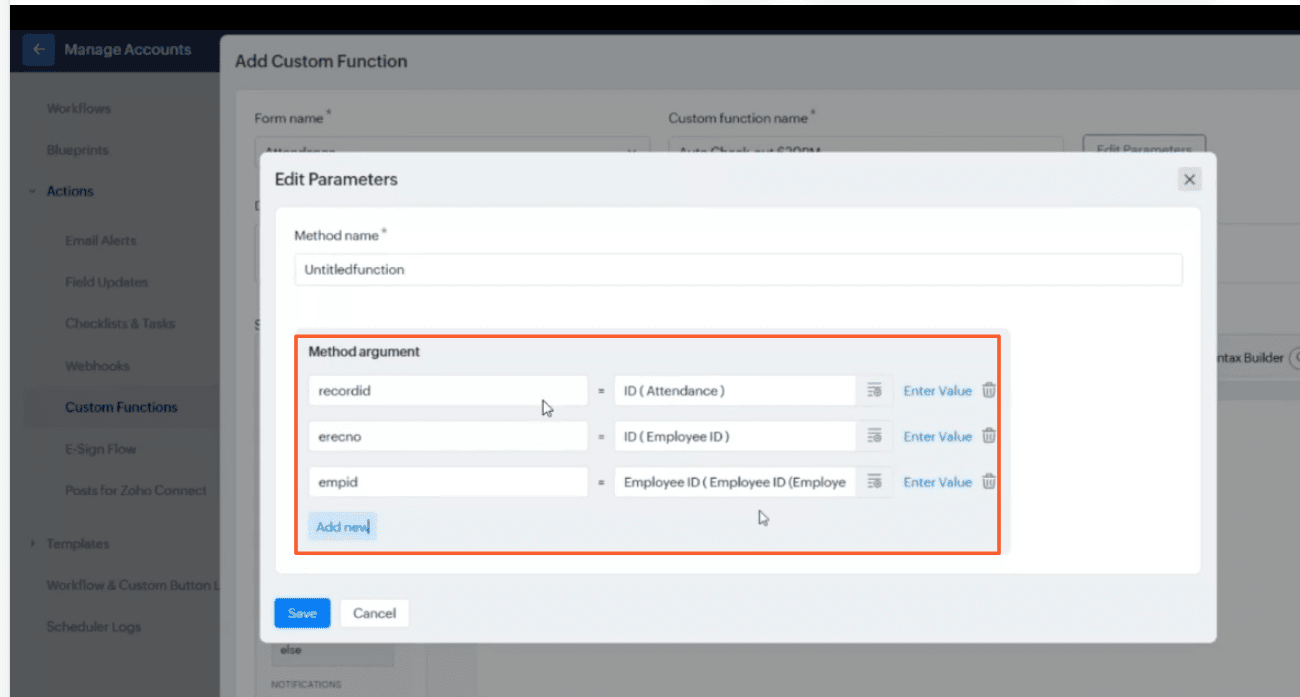
Here is the complete custom function script to check user availability and perform the auto check-out:
getUA = Collection();
getUA.insert("erecno":erecno);
get_Rec = invokeurl
[
	url :"https://people.zoho.in/people/api/attendance/getUserAvailability"
	type :POST
	parameters:getUA.toMap()
	connection:"peoplecf"
];
isUserAvailable = get_Rec.get("isUserAvailable");
if(isUserAvailable == true)
{
	getdata = zoho.people.getRecordByID("P_AttendanceForm",recordid.toLong());
	// Get the date from check-in and set checkout to 6:30 PM
	checkinTime = getdata.get("FromTime").toTime();
	checkoutTime = checkinTime.toString("dd-MMM-yyyy") + " 18:30:00";
	addrecord = Map();
	addrecord.put("empId",empid);
	addrecord.put("checkOut",checkoutTime);
	updaterecord = invokeurl
	[
		url :"https://people.zoho.in/people/api/attendance"
		type :POST
		parameters:addrecord
		connection:"peoplecf"
	];
	info updaterecord;
}
return "success";


